Confirm the account model first
Confirm seller model, destination market and warehouse and shipping responsibilities from your Seller Center. Define warehouse scope after that review.
 Speak with sales
Discuss warehouse workflows for your TEMU business around your actual seller model and destination markets.
Speak with salesConfirm seller model, destination market and warehouse and shipping responsibilities from your Seller Center. Define warehouse scope after that review.
Provide current requirements for labels, cartons, collection and status updates. Review a sample order and label together; agree deadlines for your account.
Test SKU mapping, replenishment and stock updates. Document rules and approvals for shortages, damaged goods and returns.
Warehouse location and handling are agreed around your products, dimensions, daily volumes and returns. Before inbound delivery, confirm product acceptance, capacity, packaging samples and the inspection report you need.
View the Hagen warehouse →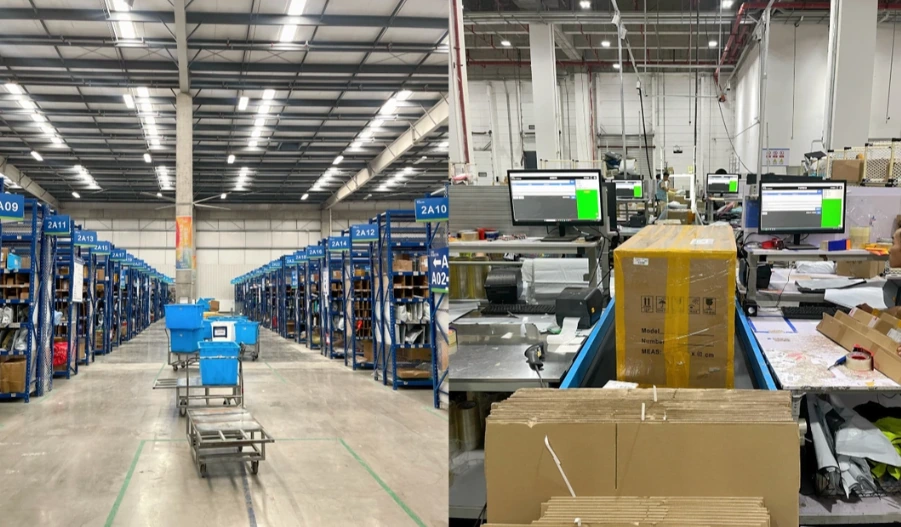
Adapt these proposed checks with your team. Launch readiness requires a recorded test result and a named owner.
Every test line identifies the correct warehouse item, including variants and sets. Evidence: approved SKU mapping.
Receiving, reservation and blocked stock produce the agreed sellable balance. Evidence: before-and-after reconciliation.
An order is processed once. Test cancellation before picking and replay of a handover. Evidence: test log.
Label, quantity, carrier and tracking match the order; test partial shipments where needed. Evidence: sample label and status update.
Match the return and document condition. Uncertain goods remain blocked; resale and refund need separate approval. Evidence: return report.
Missing data or a failed handover produces an alert and a controlled retry. Evidence: failure test with a named owner.
Editable template for test results, evidence and approval.
Download launch checklist (CSV) ↓Record the final allocation of tasks in the agreed service scope.
Maintain the seller account, product data and customer promises; provide account requirements. Own approvals for goods handling, refunds and customer communication.
Plan receiving, storage, picking, packing and return inspection within the agreed scope. Define report fields, exception handling and contacts together.
Name a system owner for data handover and status updates. Agree collection, transport service and transit exceptions with the carrier.
We review your store or ERP, data fields and available handover methods. Connection and scope are confirmed after a documented test.
Receiving times, order cut-off, return reporting and exception handling are agreed for your volume and products. The quote should separate inbound handling, storage, dispatch, returns and additional work.
Platform and market, product dimensions and weights, SKU and variant counts, daily volumes and peaks, returns profile, system, a sample order and a sample label.
The public entry point leads to Seller Center. You need to provide account-specific requirements from there; the proposals on this page are our project planning guidance.
Share destination markets, product types, SKU count, monthly volume and peaks, return needs and your existing store or ERP system.